Single Sign-On for Shelters: Use the Email You Already Have
Pet Friend Team · Updated · 7 min read
Ask a shelter director how many people can currently log into their software and you will often get a pause, then an estimate. Not because anyone is careless — because volunteers arrive and leave constantly, a password gets shared during a busy intake weekend, and the person who set up the accounts moved on two years ago. Single sign-on fixes the underlying problem rather than the symptom: there is no separate password to share, and access ends when you remove someone from the email system you were going to remove them from anyway.
The problem with a second set of passwords
Every shelter already has an identity system. It might be a Google Workspace domain, county-issued Microsoft 365 accounts, or just Gmail addresses for a six-person foster network. Whatever it is, somebody maintains it — adding people when they start, removing them when they leave.
Shelter software usually ignores all of that and asks you to build a second, parallel list of accounts. Which means two lists to keep in step, and in practice they drift:
- A volunteer coordinator leaves in March. Her email is shut off the same day. Her shelter-software login keeps working until someone notices — often at the next audit, sometimes never.
- A seasonal volunteer needs access for six weeks, so someone shares the front-desk login. Now three people use one account, and the record of who did what is meaningless.
- Password resets land on whoever set the system up, usually while they're doing something else.
None of this is a training failure. It's what happens when the software insists on owning identity instead of deferring to the system that already does.
What single sign-on actually changes
With SSO turned on, your staff see one extra button on the sign-in screen.
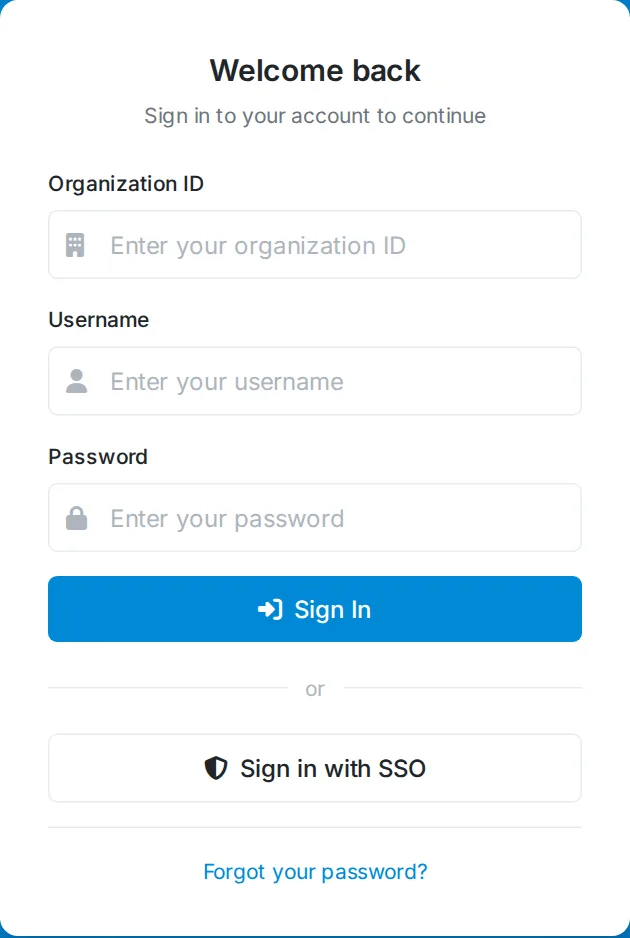
They click it, their email provider asks whether they're already signed in (usually they are), and they land in Pet Friend. No Pet Friend password was created, typed, or reset.
If your organization has more than one provider turned on — say county staff on Microsoft and volunteers on Gmail — they pick.
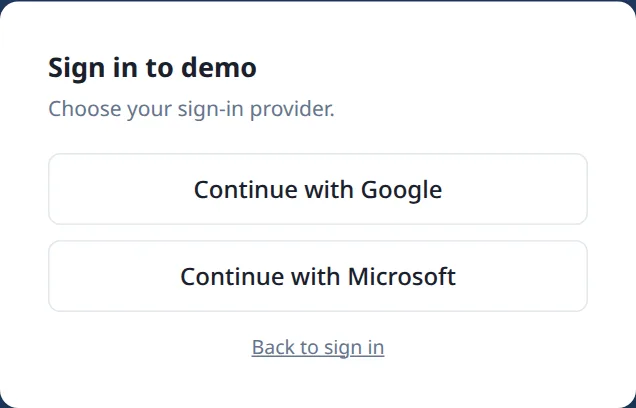
The thing worth understanding is what happens on the offboarding side. When you remove someone from Google Workspace or Microsoft 365, that button stops working for them immediately. There is no second account left behind, because there never was one.
Which providers work
Pet Friend supports single sign-on with the providers shelters and rescues actually use:
- Google Workspace and Gmail. The most common by a wide margin among rescues, helped along by Google Workspace for Nonprofits being free on your own domain. Works for consumer @gmail.com addresses too, which is what a lot of volunteer-run groups have.
- Microsoft 365 and Entra ID. What most municipal and county animal-control staff are issued. Tenants resold through GoDaddy work exactly the same way — the federation is invisible from our side.
- Yahoo and Zoho Mail. Less common, but real: long-standing rescues often still run on a Yahoo address, and Zoho's cheap tier is popular with small organizations.
- Okta. For organizations with managed IT that already standardize on an identity provider.
Turning it on
An administrator does this once, in Admin → Integrations. Each provider is a separate card, so you can enable one or several.
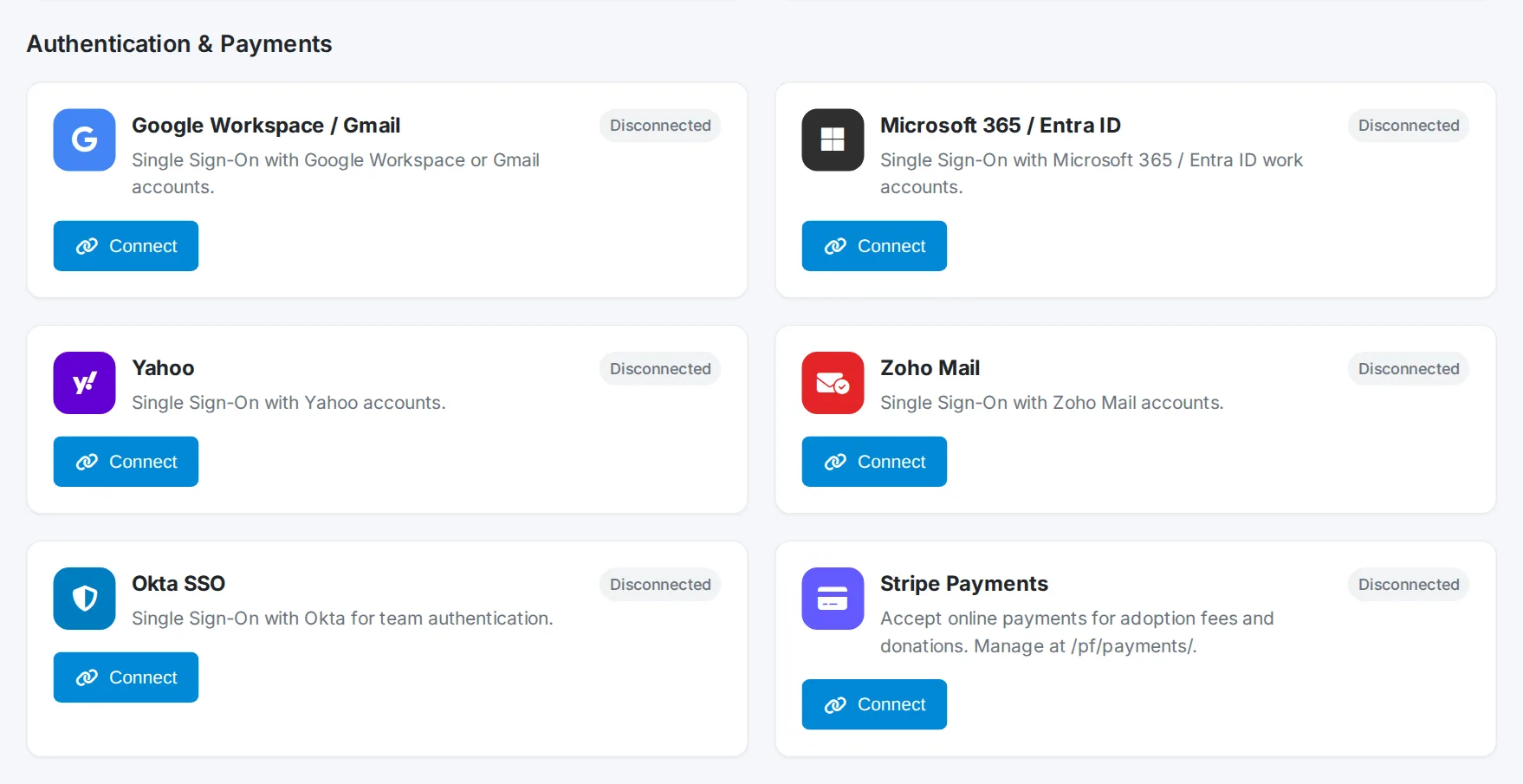
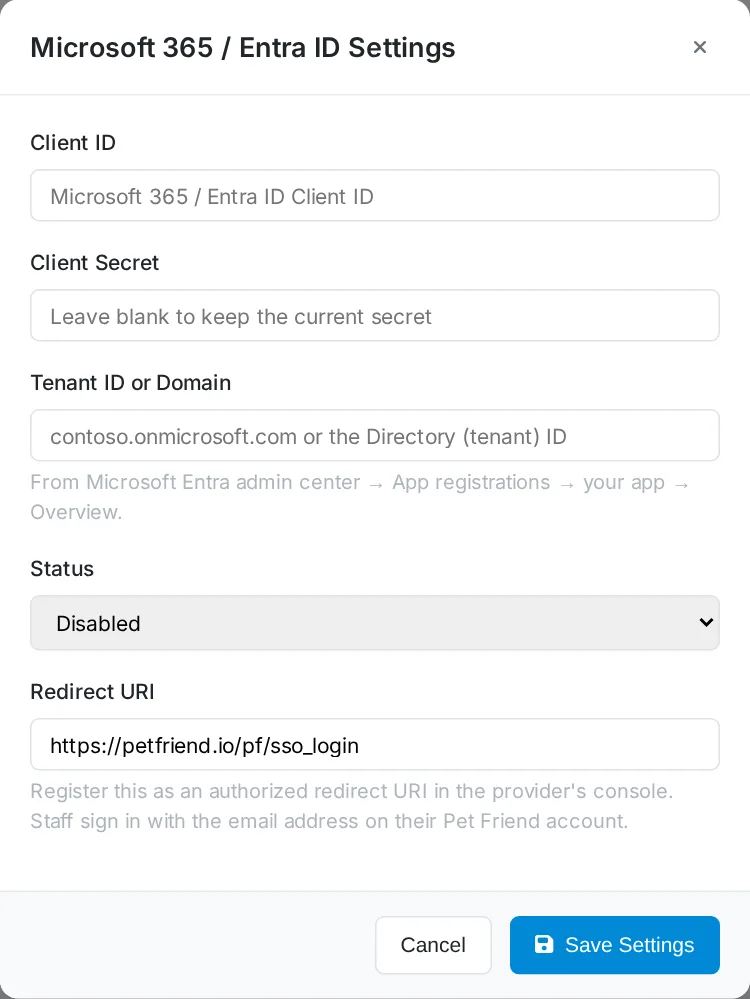
Click Connect and you're asked for two things from your provider: a client ID and a client secret. Both are free to create, and the settings screen shows you the redirect URI to paste back into your provider's console.
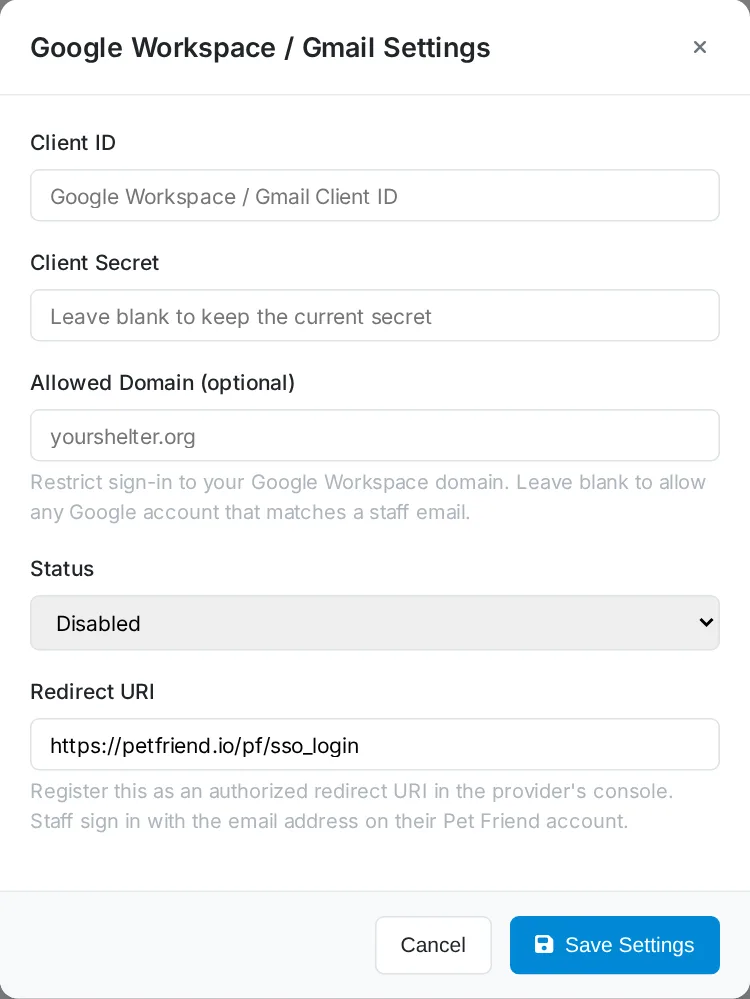
Google Workspace or Gmail
In the Google Cloud console, create a project, configure the OAuth consent screen, then create a Web application client. Add the redirect URI shown above, and copy the client ID and secret across. If everyone signing in is on your own Workspace domain, choose the Internal audience — it restricts sign-in to your organization and skips Google's app-verification process entirely. Sign-in-only access to name and email doesn't require Google review, so long as you don't upload a logo to the consent screen, which does trigger a brand review.
The Allowed Domain field is worth using if you have a Workspace domain. Set it to yourshelter.org and only accounts on that domain can sign in, even if some other Google account happens to share a staff email address.
Microsoft 365 or Entra ID
In the Microsoft Entra admin center, go to App registrations → New registration and choose single-tenant. Add a Web platform with the redirect URI, then create a client secret under Certificates & secrets. Pet Friend asks for your tenant ID or domain alongside the client ID and secret.
Yahoo, Zoho, and Okta
Yahoo and Zoho both offer free self-serve developer consoles with no review process — create an app, tick the OpenID Connect permissions for email and profile, copy the credentials. Okta works as it always has: paste the metadata URL from your Okta org along with the client ID and secret.
How people get matched to their accounts
This is the part worth being precise about, because it determines who can get in.
When someone signs in through a provider, Pet Friend takes the verified email address from that provider and looks for a staff account with the same address. If it finds one, that person signs in with the role and permissions they already have. If it doesn't, they're refused with a message telling them to ask an administrator.
Two consequences follow, and both are deliberate:
- Turning on SSO doesn't widen access. Enabling Google sign-in does not mean anyone with a Google account can get in. It means the people you have already added as staff can use Google to do it.
- Staff email addresses need to be right. Before switching it on, take five minutes in Admin → Users and check that each person's email matches the one they'll sign in with. That's the whole migration.
What it doesn't bypass
A fair question about SSO is whether it quietly loosens anything. It doesn't:
- Two-factor authentication still applies. If your organization requires 2FA in Pet Friend, staff signing in through a provider are still asked for their code. Single sign-on is a way to prove who you are, not a way to skip the second factor.
- Unverified addresses are refused. If a provider tells us an email hasn't been verified, that sign-in is rejected rather than trusted.
- Roles and permissions are unchanged. SSO decides whether you get in, not what you can see. Everything you've set up in user groups continues to apply.
- Passwords keep working. Enabling SSO doesn't disable password sign-in, so a volunteer whose email is on AOL, or anyone who just prefers it, carries on as before.
Should your shelter turn it on?
It's most worth it when one of these is true:
- You have real volunteer turnover. The offboarding benefit compounds with headcount churn, and shelters have plenty.
- You're a municipal or county agency. Federated identity is usually already on the IT checklist, and this is the answer to it.
- Shared logins have crept in. SSO removes the thing being shared. That also makes your audit log worth reading, because entries finally map to individuals.
- You're preparing for a grant or compliance review. "Access is managed through our Google Workspace directory" is a much better answer than a spreadsheet of accounts.
If you're a three-person rescue where everyone already uses their own login and nobody has left in two years, it's a nice-to-have rather than a fix. That's a legitimate place to land.
See how it fits your team
Open the live demo and look at Admin → Integrations, or get in touch and we'll walk through the setup for your provider.
Try the Live DemoSingle sign-on FAQ
What is single sign-on for shelter software?
Single sign-on lets your staff sign in to your shelter software using an account they already have — such as Google Workspace, Gmail, Microsoft 365, Yahoo, Zoho Mail, or Okta — instead of creating a separate password. Access is managed in that provider, so removing someone there also removes their access to the shelter software.
Which single sign-on providers does Pet Friend support?
Google Workspace and Gmail, Microsoft 365 and Entra ID, Yahoo, Zoho Mail, and Okta. Microsoft tenants resold through GoDaddy work the same way. AOL cannot be supported because its developer program is closed, and Sign in with Apple is not supported because its Hide My Email feature returns a masked address that cannot be matched to a staff account.
Does single sign-on cost extra?
No. Single sign-on is included on the Shelter Plus plan with no per-seat surcharge. Creating the client ID and secret in Google, Microsoft, Yahoo, or Zoho is also free.
Does single sign-on skip two-factor authentication?
No. If your organization requires two-factor authentication in Pet Friend, staff signing in through an identity provider are still asked for their code. Single sign-on establishes who someone is; it does not replace the second factor.
Can anyone with a Google account sign in if we enable Google SSO?
No. Sign-in is matched against the email address on an existing staff account. Someone whose email is not already on your staff list is refused. You can also restrict Google sign-in to a specific Workspace domain.
What happens when a volunteer leaves?
Remove them from your email provider and their access to the shelter software ends with it, because there is no separate password to forget to revoke. That is the main operational benefit of single sign-on for organizations with volunteer turnover.
Can staff still use a password after we enable SSO?
Yes. Enabling single sign-on adds an option; it does not remove password sign-in. Staff on an email provider that is not supported can continue signing in as before.
How long does it take to set up?
Usually under fifteen minutes per provider: create an application in your provider's console, copy the client ID and secret into Admin > Integrations, and paste the redirect URI shown there back into the provider. The main preparation is checking that staff email addresses in Pet Friend match the ones they will sign in with.
Related reading
Pet Friend is animal shelter software built for organizations that run on volunteers. For the full picture on how we protect your records, see the security overview and the single sign-on integration page. If you're evaluating options, how to choose shelter software covers what to ask, and the plan comparison shows what each tier includes. Municipal agencies may also want the municipal shelter software overview.