Custom Fields: Shelter Software That Tracks What You Track
Pet Friend Team · Updated · 6 min read
Every shelter tracks something nobody else does. A grant-funded program needs a funding source on every intake. A working-cat program tracks barn placements. One rescue records which sponsor covers each animal's care; another needs a follow-up date promised to every adopter. Off-the-shelf software usually answers with a Notes box — and everything typed into a Notes box is invisible to reports, exports, and the next person on shift. Pet Friend answers with custom fields: your own fields, on your own forms, treated like they were built in.
Your fields live where the rest of your forms do
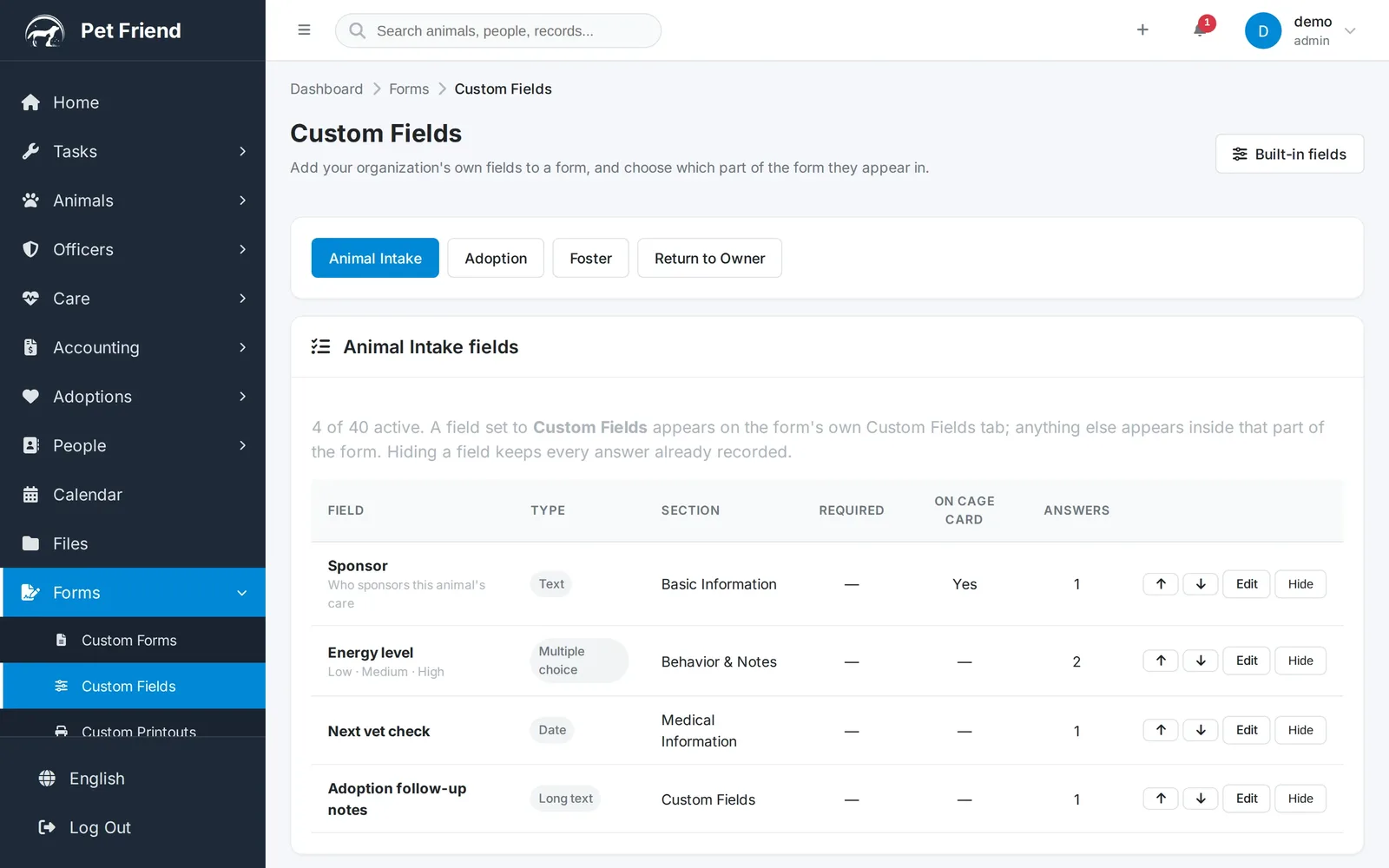
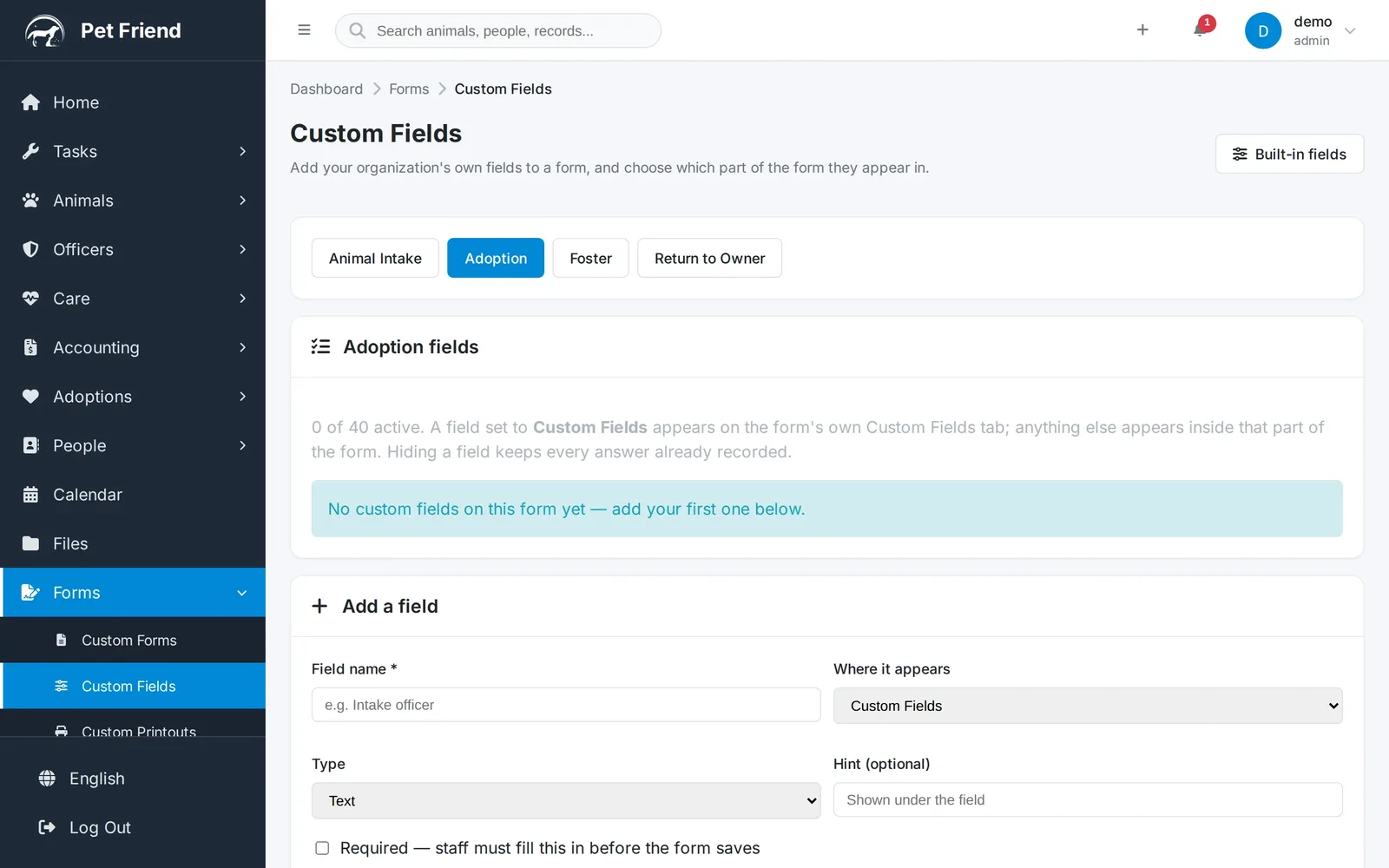
Open Forms → Custom Fields and you'll find one page that manages every field your organization has invented — across animal intake, adoptions, fosters, and return to owner. Each form keeps its own list, so an adoption question never clutters an intake, and each list shows at a glance what type a field is, where it sits on the form, whether it's required, and whether it prints on the cage card.
Adding a field takes seconds
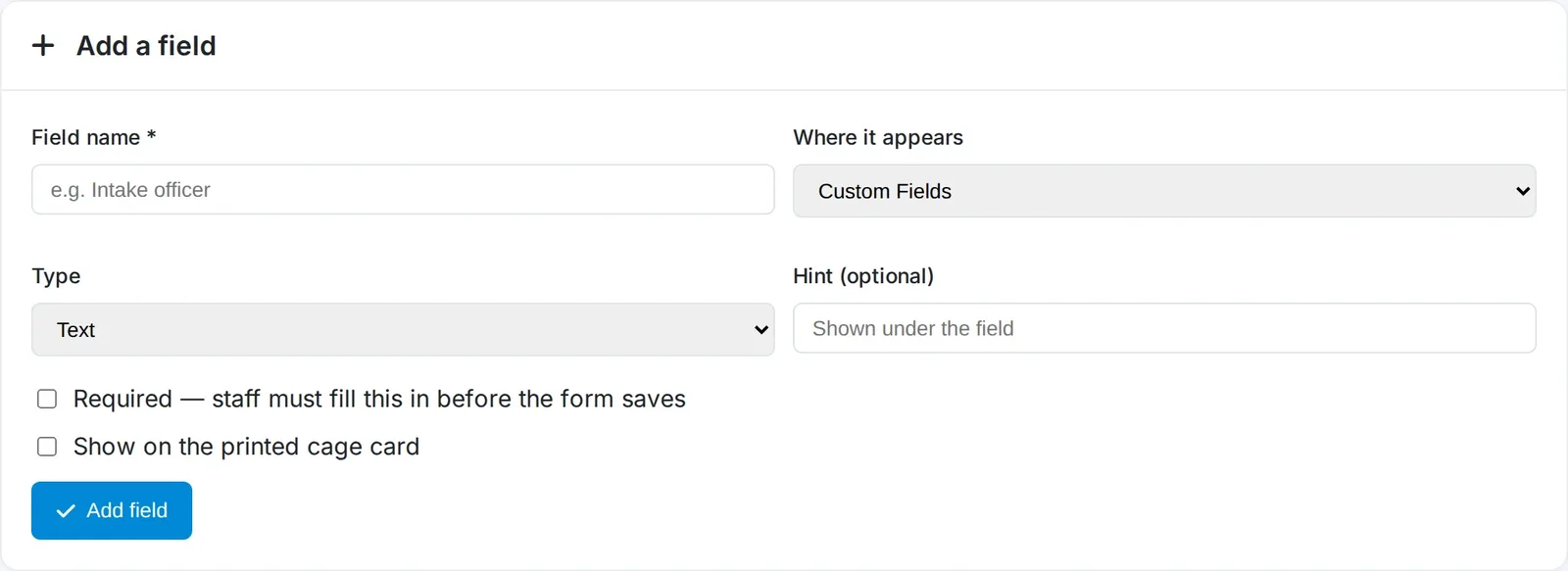
Name it, pick a type — short text, long text, number, date, yes/no, or a multiple-choice dropdown of your own options — add an optional hint for your staff, and decide whether it's required. Dates are validated and displayed properly formatted everywhere they appear, and a required field is enforced when the form is saved — on the server, not just in the browser — so it can't be skipped.
The part that makes it feel built in: placement
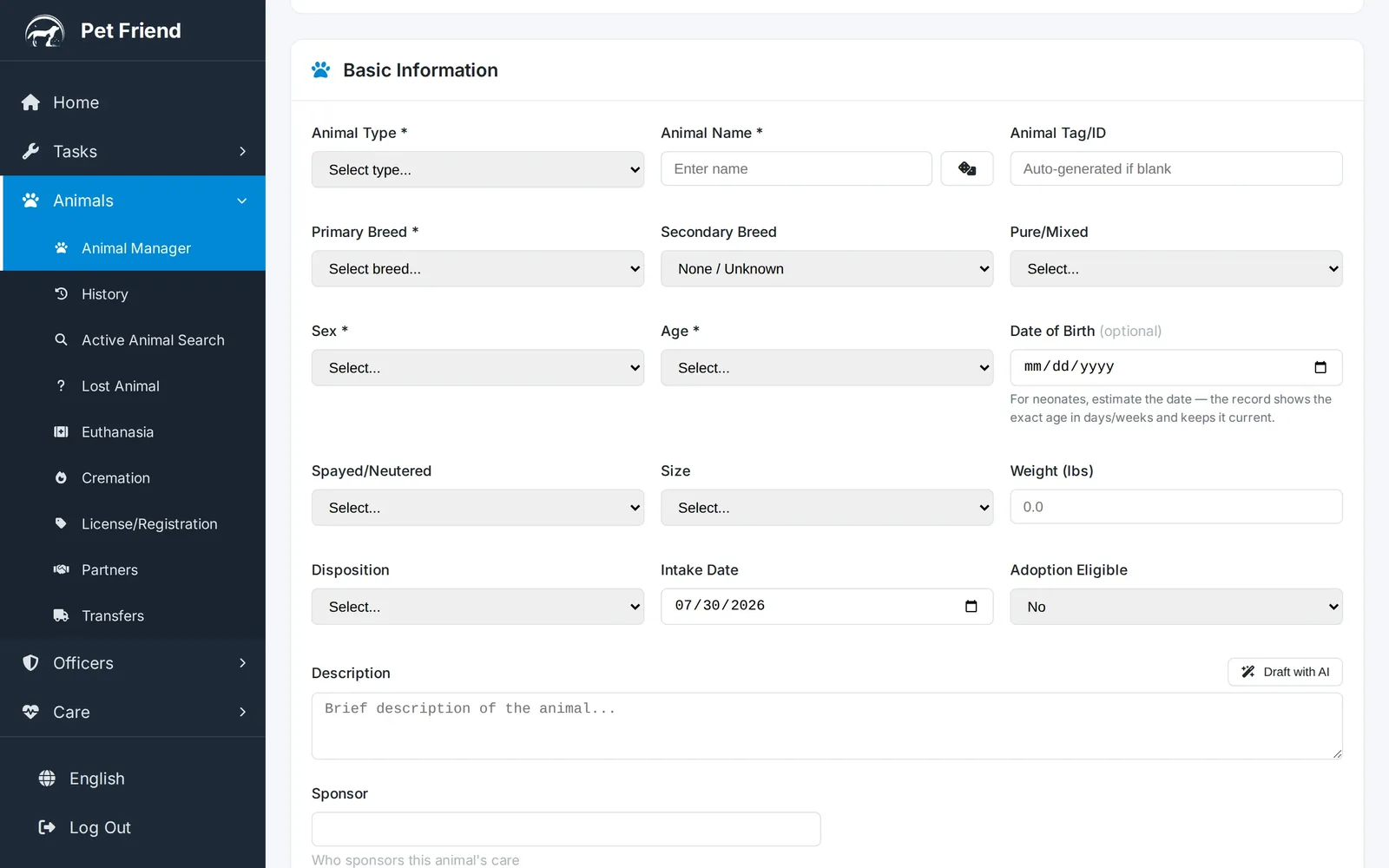
Most software that offers custom fields dumps them all in a lump at the bottom of the form, where they read like an afterthought. Pet Friend asks one more question when you create a field: where should it appear? A medical question can sit inside the Medical step of intake. A behavior note goes with the other behavior questions. Here's a Sponsor field placed into Basic Information — your staff won't even think of it as a custom field, because it's simply on the form, next to everything else:
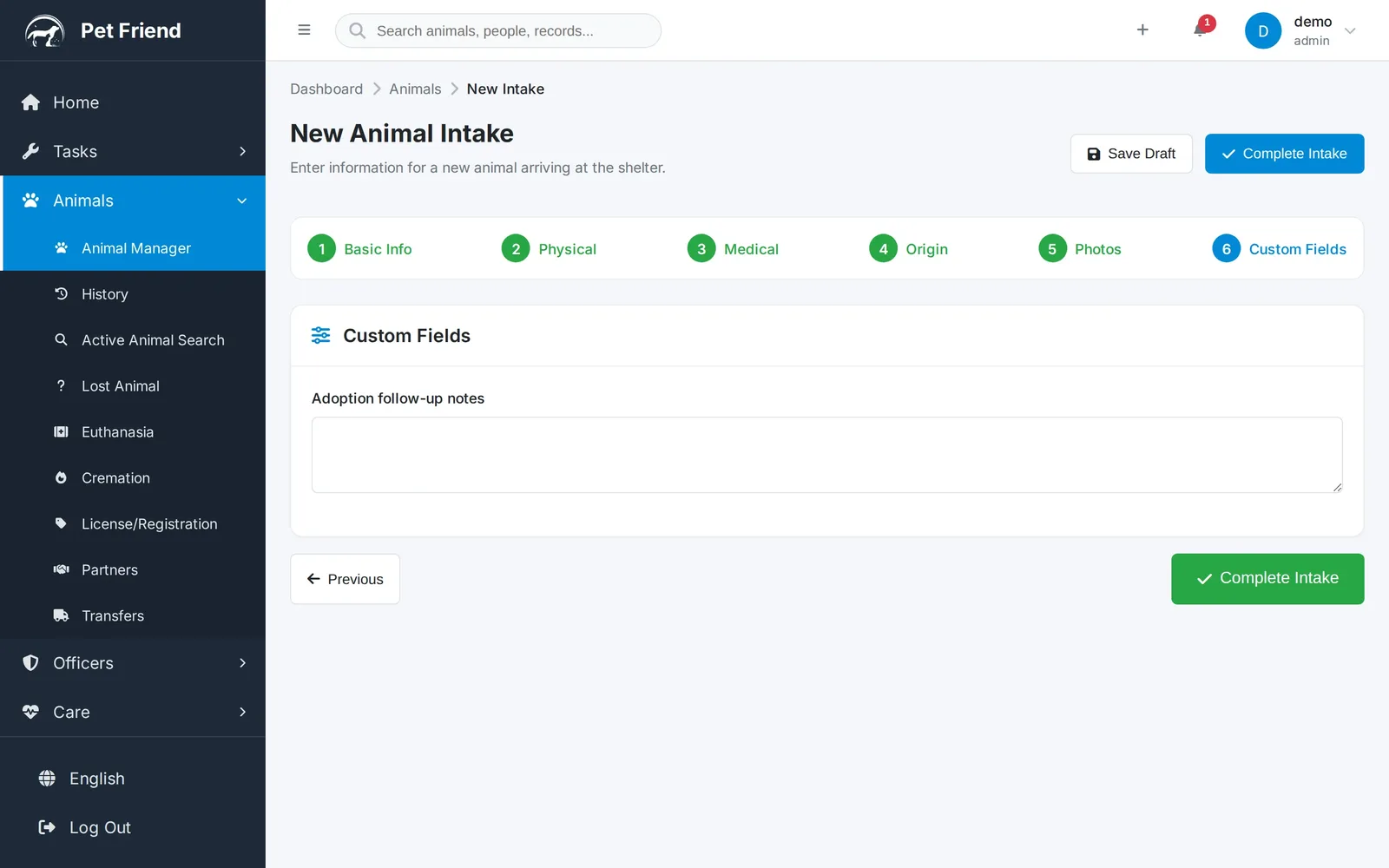
And fields you don't pin to a section aren't stranded — the form grows a tidy Custom Fields step of its own at the end (step six on intake, right after Photos). If your organization has no custom fields, the forms look exactly as they always did.
Every form gets its own list
Adoption paperwork asks different questions than intake does, so each form keeps a separate list of up to forty active fields. Want to record a landlord phone number on adoptions, a home-check date on fosters, or a proof-of-ownership note on returns to owner? Pick the form along the top and add the field there — it will never leak onto a form it doesn't belong to.
Answers follow the animal
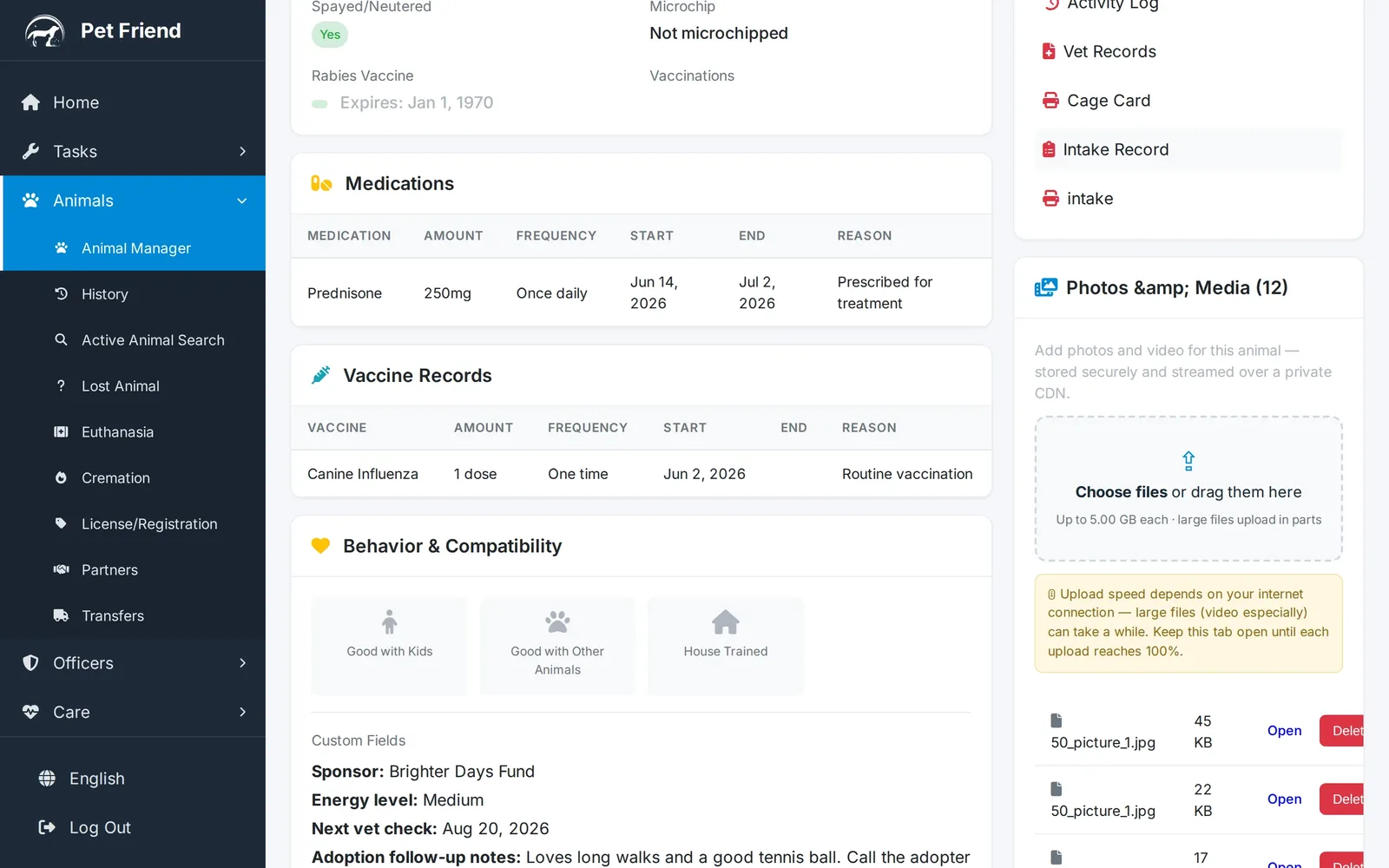
A custom field isn't a form gimmick — the answer becomes part of the animal's record. It shows on the animal's page beside the built-in details, it's editable on the matching tab of the edit screen, and it's kept through every rename or reorganization you do later.
And yes — on the cage card
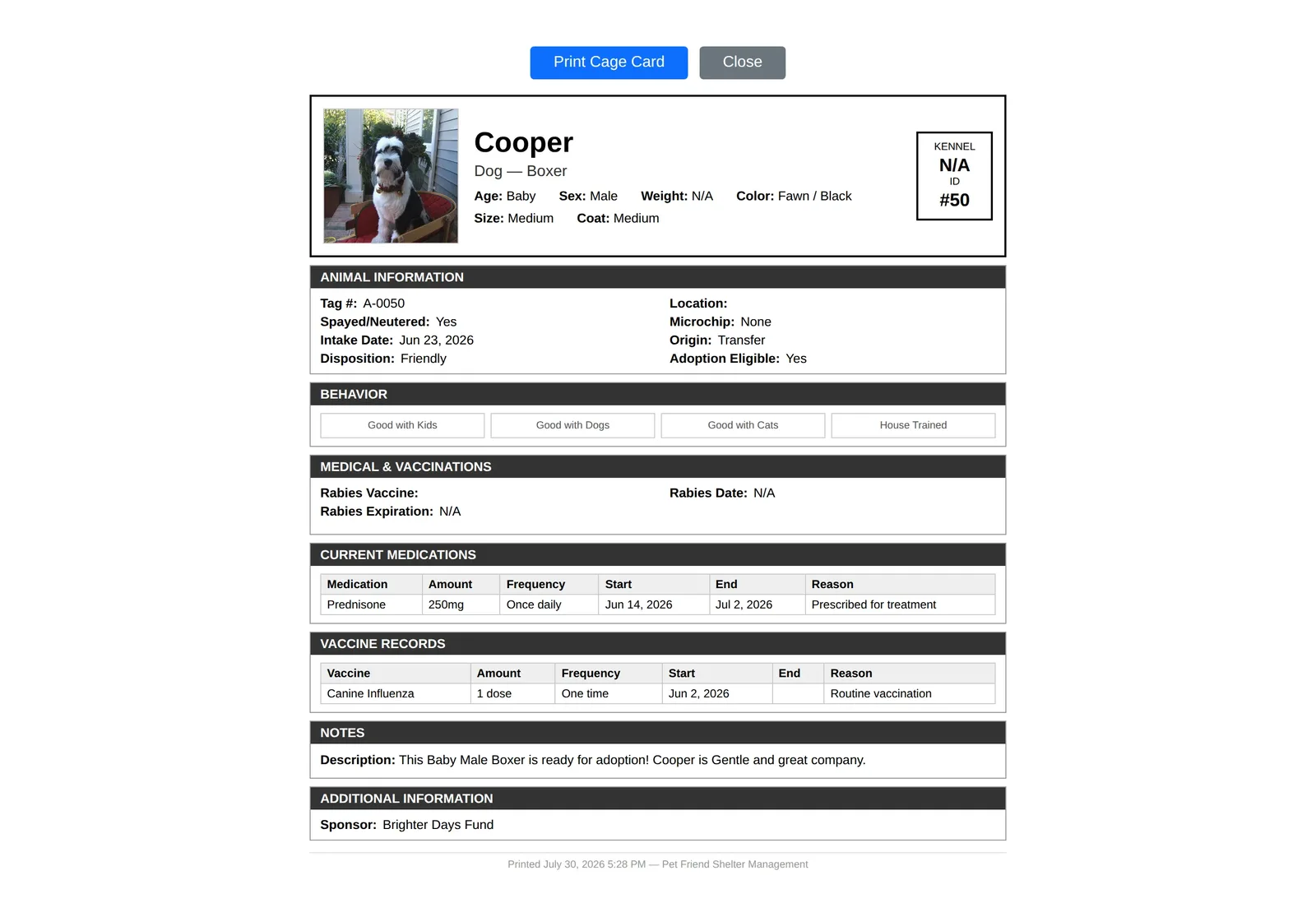
The cage card is the most-read document in any shelter: volunteers, visitors, and staff all glance at it a dozen times a day. Tick Show on the printed cage card when you create a field, and its answer prints there, right under the animal's details. Here's Cooper's card with his sponsor on it — so everyone walking the kennels knows Brighter Days Fund is covering his care:
Everywhere else your data goes
- Custom Reports — every custom field is a selectable column, so you can report on sponsors, follow-ups, or anything else you track.
- CSV export — your fields ride along as extra columns in the animals export.
- Custom printouts — include any custom field on the printouts you build under Forms → Custom Printouts.
- Partner API — integrations can opt in to receive custom fields with each animal.
Why this matters more in a shelter than anywhere else
Shelter work is local. County contracts, grant reporting, transport partnerships, TNR colonies, sponsorship programs — no two organizations run the same mix, and the software that fits one perfectly leaves the next one typing its most important data into a Notes box. Custom fields are how Pet Friend bends to fit your operation instead of asking your operation to bend to the software: the things only you track get real fields, real validation, real placement on the form, and a real place in your reports.
See it with your own data in mind
Open the live demo, go to Forms → Custom Fields, and add the field your shelter has always needed. It takes about thirty seconds.
Try the Live DemoCustom fields FAQ
Can I add custom fields to the animal intake form?
Yes. Go to Forms > Custom Fields, pick Animal Intake, and add your field — short text, long text, number, date, yes/no, or a multiple-choice dropdown. You choose which section of the intake form it appears in, whether it is required, and whether it prints on the cage card.
Can adoptions, fosters, and returns to owner have their own custom fields?
Yes. Each of the four forms — intake, adoption, foster, and return to owner — keeps its own list of up to forty active fields, so an adoption question never appears on an intake and vice versa.
Do custom field answers appear on the cage card?
If you want them to. Each intake field has a "Show on the printed cage card" option; flagged fields print in an Additional Information section on the card, right under the animal's details.
What happens to the data if I rename or remove a custom field?
Renaming, reordering, or moving a field to another section keeps every answer already recorded. Hiding a field removes it from the form but preserves its history, and it can be restored at any time. A field's type locks once real answers exist, except widening to text, which is always safe.
Can I report on custom fields?
Yes. Every custom field is available as a column in Custom Reports, rides along in the animals CSV export, can be included on custom printouts, and can be requested through the partner API.
Which Pet Friend plans include custom fields?
Custom fields are included on the Shelter and Shelter Plus plans. The Rescue plan does not include them — see the plan comparison for what each tier includes.
Related reading
Pet Friend is animal shelter software built to fit the way your organization actually works. New to digital records? Start with switching from paper to digital. Comparing options? See how to choose shelter software and the plan comparison. And for the rest of the intake workflow, read the animal shelter intake process.